
100% up to $750 + 200 FS
Welcome Bonus
Magius Casino App Canada
We built the Magius app around one honest insight: Canadian players shouldn’t have to hunt through an app store just to spin a reel or place a bet. Our platform runs directly from your mobile browser, with every game, bonus, and banking tool available from the moment you load the page. No storage space consumed. No version updates to chase. Just open, play, and go — the way mobile gaming was always meant to feel.
Understanding the PWA Model
Our Magius Casino app is a Progressive Web App — a PWA — meaning it lives inside your browser rather than inside an app store listing. This is a deliberate choice, not a limitation. We skip the Apple App Store and Google Play entirely, which means no gatekeeper delays, no mandatory device-specific file downloads, and no waiting on approval cycles when we release new features.
| Platform | Status |
|---|---|
| App Store (Apple) | Not listed |
| Google Play Store | Not listed |
| PWA (browser-based) | Fully supported |
Here is what that means in practice: every update we push goes live instantly for every player. You never land on an outdated version of our platform. For anyone curious about the full breadth of what we offer on desktop versus mobile, the main Magius gaming info page lays it out side by side. Because the PWA uses the same SSL encryption layer as our desktop site, your session data travels through the same standard of protection that major Canadian banks apply to their own portals.
Installing on Android and iOS
Getting the Magius mobile app pinned to your home screen takes under a minute on either major operating system. On Android, open Chrome, visit our site, tap the three-dot menu in the top-right corner, then select “Add to Home Screen”. On iOS, open Safari, tap the Share button at the bottom of the screen, then tap “Add to Home Screen”. Either way, you end up with a tap-to-launch icon that feels indistinguishable from a native app.
| Operating System | Recommended Browser |
|---|---|
| Android | Chrome |
| iOS | Safari |
For players who prefer Firefox, our platform loads cleanly there too — though the “Add to Home Screen” shortcut is most reliable through the browsers listed above. If you have questions about setup steps or account access after installation, the helpful Magius questions info page covers the most common scenarios. Compatible devices include iPhone, iPad, Samsung Galaxy, and Google Pixel — essentially any modern smartphone or tablet released in the last five years.
Mobile Slots and Live Tables
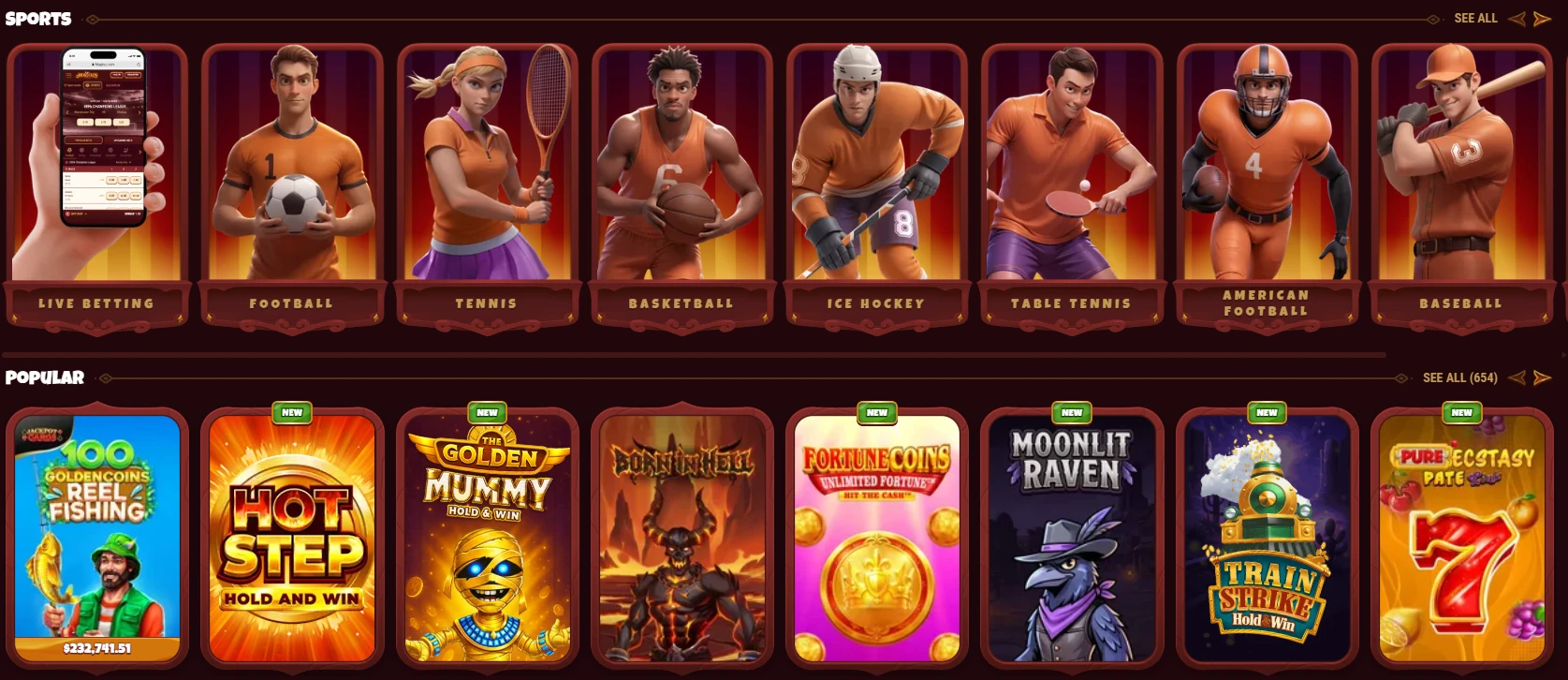
Every one of our 4,000+ games runs smoothly on touchscreen devices, whether you are spinning a Megaways title or watching a live dealer shuffle at a blackjack table. The Magius mobile app serves the complete catalog — no trimmed-down mobile version, no missing categories. Providers like NetEnt, Evolution, Playtech, Quickspin, Hacksaw Gaming, and Spinomenal all render at their intended quality on a phone screen.
- 4,000+ mobile-optimised games across all categories
- HD Live Casino streams — Speed Roulette, VIP Blackjack, Football Thrill, and more
- Full Sportsbook access, including bet types for events like Toronto Raptors games
We also carry active progressive jackpots — Shining Crown was sitting at $91,050.30 in a recent snapshot, and that figure climbs between sessions. For players who want to keep tabs on weekly reload bonuses or the Wheel of Fortune promo before they play, the current Magius reward system page stays updated with every live offer. Nothing about the game library shrinks when you switch from a laptop to a phone.
Mobile Payments and Cashier
Mobile users can make deposits from as little as $15, using the exact same cashier tools that are available on desktop. Interac — the payment method Canadian players reach for first — works without friction through the mobile browser, and the process mirrors what you would do through your regular banking app.
- Interac e-Transfer for deposits and withdrawals
- Visa, Mastercard, Skrill, Neteller, MiFinity, Paysafecard
- Cryptocurrency options including Bitcoin, Ethereum, Litecoin, USDT (multiple networks), DOGE, Solana, and more
- $15 minimum deposit with full cashier access on every compatible device
Withdrawals follow the same route. E-wallet requests are processed within 0–24 hours once KYC verification is complete — a one-time document review that our finance team typically clears within 48 hours. Our Magius cashier does not restrict any payment method by device type, so whether you are on a desktop or using a phone on the bus, your banking options are identical.
Why Install Instead of Just Browsing
Installing the PWA shortcut gives you something a bare browser bookmark cannot: one-tap access with no address bar, no accidental navigation away, and a launch experience that mimics a dedicated native app. The trade-off is real — unlike a stored native app, the PWA depends on an active internet connection. You cannot cache a game session for offline play.
That said, a quick Magius Casino download comparison reveals why we landed here. A native app requires storage space on your device, ongoing OS-level permissions, and periodic manual updates. Our approach demands none of those. When we update our platform, the Magius app you launch tomorrow is automatically the latest version, with no action required on your end. For players who felt burned by outdated apps or app-store region blocks in the past, this model resolves both problems in a single decision.
Mobile Safety and Support
The mobile experience retains full SSL encryption on every login and transaction, and our 24/7 live chat is accessible directly from the mobile interface — no desktop required.
- Mobile SSL encryption — identical to desktop, matching major Canadian bank standards
- 24/7 live chat — available to all registered players, regardless of VIP level
- Biometric browser login — if your device and browser support fingerprint or face scan, they work with our platform automatically
Our security system monitors login patterns actively. Unusual behaviour — like a sudden location jump or repeated failed password attempts — triggers a temporary lock and an additional verification step. That is not an obstacle; it is us catching something you would want caught. On top of that, responsible gambling tools including deposit limits, loss limits, and session time limits sit inside every account profile and are accessible in seconds from a mobile browser.
Who Is the Magius App For
The PWA model suits any player who values speed and simplicity over storage-heavy installs. If you are someone who regularly switches between devices — tablet at home, phone on the commute — our platform’s browser-based design means your account, bonuses, and game history follow you without any syncing friction. High-volume players climbing toward VIP Level 4 or 5 will also notice that withdrawal limits and cashback rates do not change based on whether they are playing on mobile or desktop. The Magius Casino app experience is not a stripped-back version of our full platform. It is the full platform, reshaped for the screen in your hand, and built for Canadian players who want to play on their own terms.
Frequently Asked Questions
How do I clear my browser cache for Magius?
On Chrome for Android, tap the three-dot menu, go to Settings > Privacy and Security > Clear Browsing Data, then select cached images and files. On Safari for iOS, go to Settings > Safari > Clear History and Website Data. Doing this can resolve loading issues or stale display problems. After clearing, simply reopen our site and log back in — your account data is stored server-side and will not be affected.
Are Magius Casino games fair and tested?
Every title in our catalog runs on RNG-certified software, verified by independent testing to ensure that results are genuinely random and not manipulated. Our Kahnawake Gambling Licence requires ongoing compliance with those standards as a condition of operation. Providers like Evolution and NetEnt publish their own certification records, and those are the same builds you play here. Fair outcomes are not a feature we added — they are a baseline we operate under.
Does Magius Casino have a native mobile app?
We do not offer a Magius Casino download through the Apple App Store or Google Play Store — and that is intentional. Instead, we built the Magius Casino app as a Progressive Web App, which you install directly from your browser in under a minute. The result is a home-screen icon, full game access, and Interac banking — all without using a byte of your device storage. Players on iOS and Android both follow a short “Add to Home Screen” step to set it up.
Can I set deposit limits at Magius Casino?
Yes — deposit limits, loss limits, and session time limits are all available inside your account profile and can be adjusted at any time. These tools are part of our responsible gambling commitment, and they apply equally whether you are playing on desktop or through the mobile browser. If you need more detail on how these options work, our Responsible Gaming page at magius.com/ca/responsible-gaming walks through every available control.
Why is my Magius Casino withdrawal delayed?
The most common reason is a pending KYC review — our team processes identity documents within 48 hours, but withdrawals are held until that step is complete. If KYC is already cleared, check whether your request was submitted outside our finance team’s processing window, which runs Monday to Friday, 6 AM–5 PM GMT. E-wallet withdrawals typically arrive within 0–24 hours once processed; card payments take 3–5 business days. Holding more than three pending withdrawal requests simultaneously can also pause the queue, so cancelling an older request and resubmitting may help.